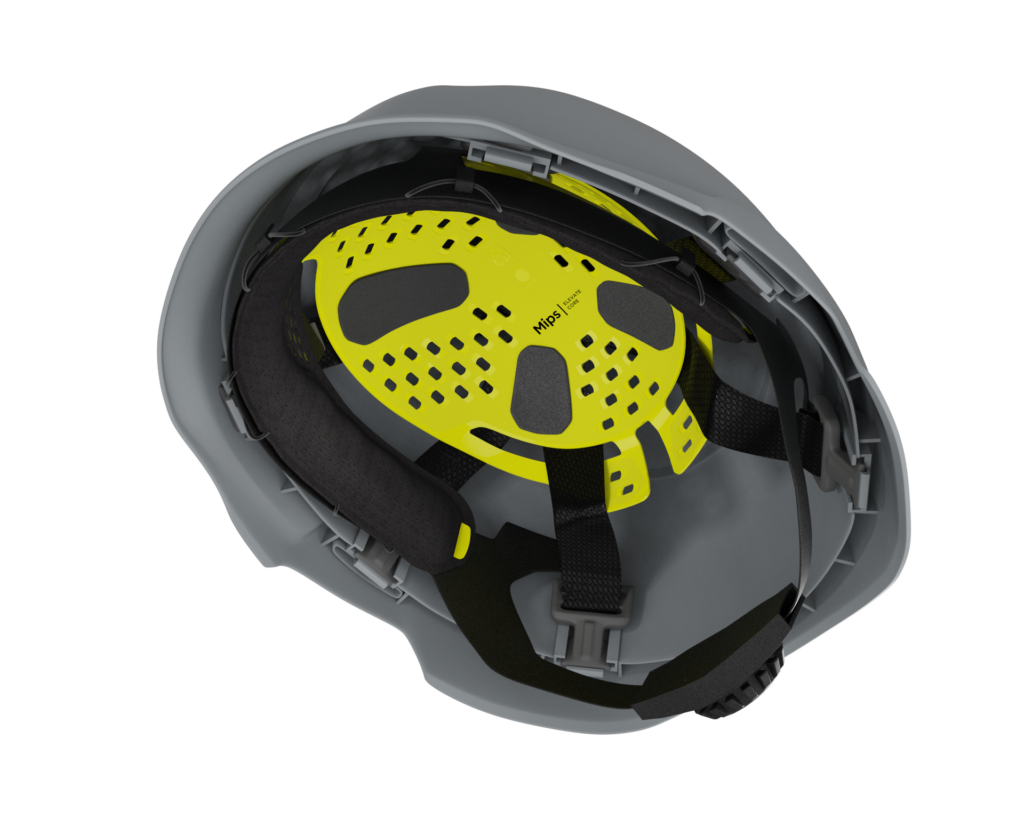

The Mips® Elevate Core system brings Mips technology to industry and construction sites.
An injection-molded low-friction layer, with comfortable padding on the inside, is attached to the helmet using the rear harness straps and front padding. This lets the low-friction layer move inside the helmet to help minimize rotational motion to the head in angled impacts.
On the following pages, you will find all you need to know about how we work with product identity on Elevate Core. For more detailed construction guidelines, we recommend you contact your Mips engineer.
Mips solution: Gen-B
Our goal with Mips graphics is that we want to take a discreet but clear ownership of our technology with balanced graphic elements without hijacking the overall design of the helmet. Read more below on what type of graphics we work with.
On Mips Elevate Core there are two color options on the Family Graphics depending on the color of the Low Friction Layer (LFL). For black LFL there is a white/yellow UVDRT sticker and for yellow LFL, black UVDRT sticker.


For necessary information such as serial number, “do not remove the Mips system” a Side Information Label (SIL) is used. It gathers all the information that needs to be on the Low Friction Layer in one space.


The Mips logo, nicknamed the Yellow Dot, is our most recognized brand asset. It is placed on the outside of the helmet and brings a feeling of added safety to the user.

Positioning of our graphic is key to achieve the best visibility and to keep consistency for the consumer when recognizing a helmet with a Mips safety system. Our goal is to achieve the same placement at all times. However we understand that in some cases, due to different helmet geometries and other design constrains, the optimum logo placement is not possible. For cases like these we have a 1,2,3 placement guideline.

FAMILY GRAPHIC
Primary helmet orientatins is with forehead pointing upwards. Othervise with forhead pointing to the left.

SIDE INFORMATION LABEL
Graphic is orientated on right hand side with helmed edge pointing downwords.

ON HELMET LOGO
Looking at the helmet from behind the Mips logo is placed to be visible both from the left and from the rear.
All our Elevate Core solutions will have a recycle mark. This is part of our sustainability work to promote recycling of Mips parts. The information is according to ISO standard 11469, ”Plastics-Generic identification and marking of plastics products”. The information is there to help consumer to place the material at suitable deposit, according to the country’s local laws.
We gather all information made in the tooling in one area. This includes the size mark and on B solution also the date mark.