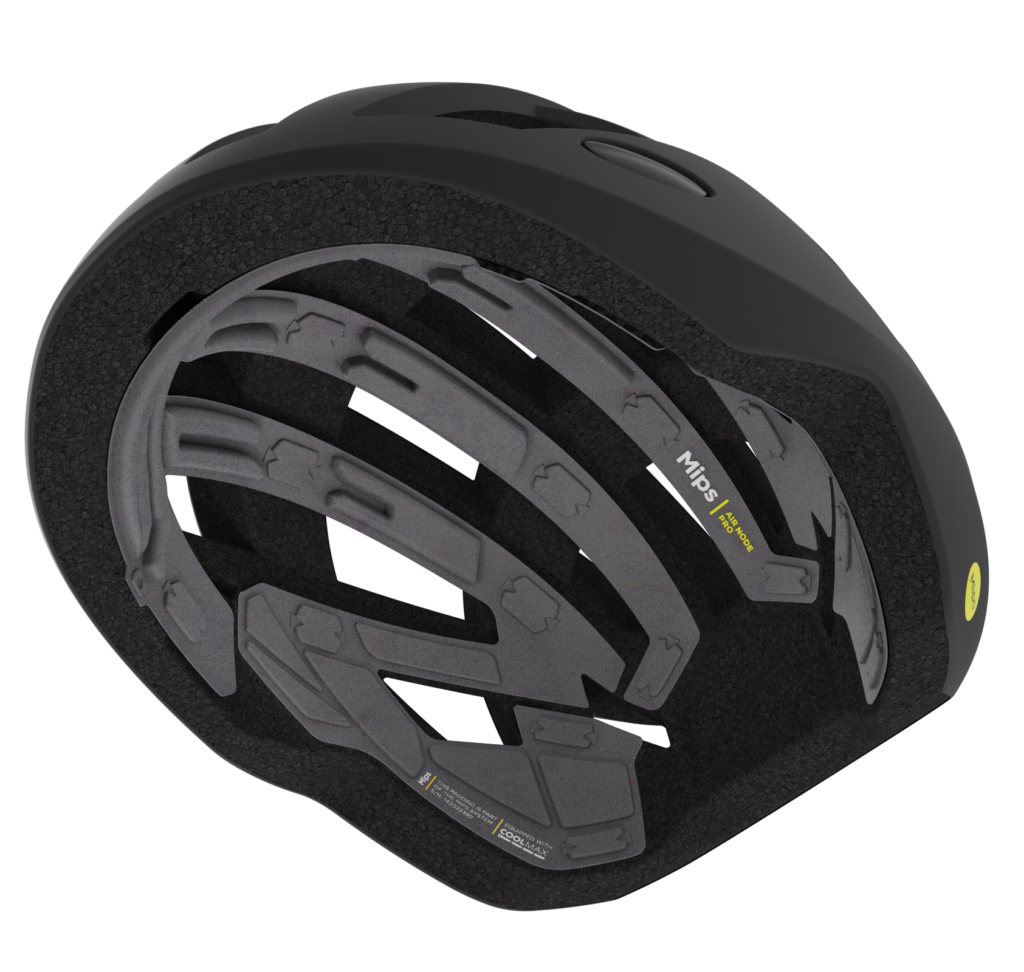
The Mips® Air Node Pro system is a low-friction layer laminated onto the base of the comfort padding. It’s connected to the energy-absorbing liner with nodes of hook-and-loop fabric touch fasteners. At angled impacts, the nodes are designed to release locally, allowing the padding to slide and reduce rotational motion to the head.
On the following pages you will find all you need to know about how we work with product branding and design on Mips Air Node Pro. For more detailed construction guidelines, we recommend you to contact your Mips engineer.
Mips solution: Ai-25p
Our goal with Mips graphics is that we want to take a discreet but clear ownership of our technology with balanced graphic elements without hijacking the overall design of the helmet. Read more below on what type of graphics we work with.
The branding element on Mips Air Node Pro is a two colored TPU logo, highlightning the family and product name.

For information, such as helmet model, size, serial number and brand name two heattransfered labels is used. It gathers all information that needs to be on the Low Friction Layer.


The Mips logo, nicknamed the Yellow Dot, is our most recognized brand asset. It is placed on the outside of the helmet and brings a feeling of added safety to the user.

Positioning of our graphic is key to achieve the best visibility and to keep consistency for the consumer when recognizing a helmet with a Mips safety system. Our goal is to achieve the same placement at all times. However we understand that in some cases, due to different helmet geometries and other design constrains, the optimum logo placement is not possible. For cases like these we have a 1,2,3 placement guideline.

FAMILY GRAPHIC
Primary helmet orientations is with forehead pointing upwards. Othervise with forhead pointing to the left.

SIDE INFORMATION LABEL AND SIDE BRAND LABEL
The SIL Graphic is positioned on the lower right hand side and the SBL is mirrored on the opposite side of the LFL.

ON HELMET LOGO
from behind the Mips logo is placed to be visible both from the left and from the rear.
When working with the Mips Air Node Pro layout we analyze our customers helmets to combine their design language with details from our product identity to create an integrated Mips product.
Beyond comfort and fit we use the possibility to compress the padding into different heights to create design elements, details and dedicated areas for graphics.
Mips offers two types of textiles with COOLMAX®. These are available in three standard colors (black, dark grey, and light grey) but can also be customized. If a brand prefers to use its own custom colour, this is possible as long as the brand supplies the material. The padding needs to be in a singlecolour, no multicolour or patterns are allowed. All custom fabrics needs to pass a material test to ensure it is compatible with the Mips Air Node Pro construction. Product graphics might need to be adjusted for best visibility.
The padding should have at least two Node shaped attachment points.
COOLMAX® NET Mik23
COOLMAX® FLOW Mik24
Black
Dark grey
Light grey
Sourced by brand approved by Mips
No multicolour or patterns
Available as an optional upgrade for an additional cost
Optional design offer